
📖 Understanding Pipelines
Este conteúdo não está disponível em sua língua ainda.
What is a Pipeline? 🗂️
Section titled “What is a Pipeline? 🗂️”A pipeline in Emptor’s context is a specially curated combination of our distinct verification reports. Instead of selecting individual reports one by one, our pipelines bundle these reports together, making the process more streamlined and efficient for our users. Think of it like a pre-defined package, tailor-made to cater to a certain verification need.
Why use Pipelines? ✅
Section titled “Why use Pipelines? ✅”- Efficiency: No need to manually select multiple reports. Choose a pipeline, and you’re set!
- Precision: Our expert team has designed these pipelines by bundling reports that complement each other, ensuring a comprehensive background check.
- User-Friendly: Especially useful for those who are unsure which reports to select, pipelines take the guesswork out.
Available Pipelines 💡
Section titled “Available Pipelines 💡”📌 Basic Background Check
Section titled “📌 Basic Background Check”Designed for businesses like ride-sharing companies ensuring driver legitimacy and security for passengers.
📌 Standard Background Check
Section titled “📌 Standard Background Check”Perfect for tech, hiring, and traditional businesses aiming for safety and authenticity.
How to access a Pipeline? 👇🏼
Section titled “How to access a Pipeline? 👇🏼”Accessing a pipeline is easy:
-
Sign in to your Emptor Dashboard 🖥️
-
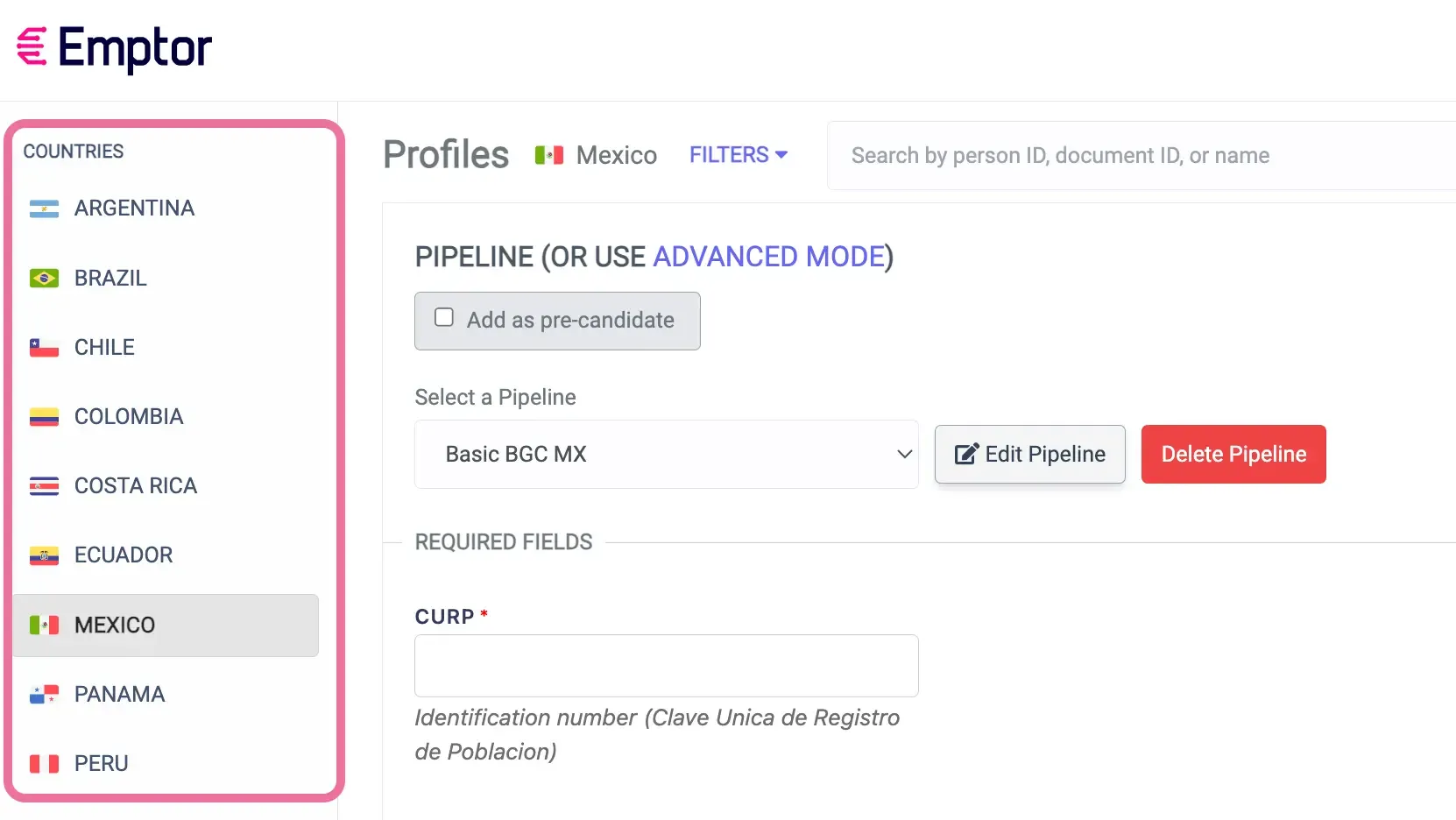
Choose the desired country from the left sidebar 🌎
-
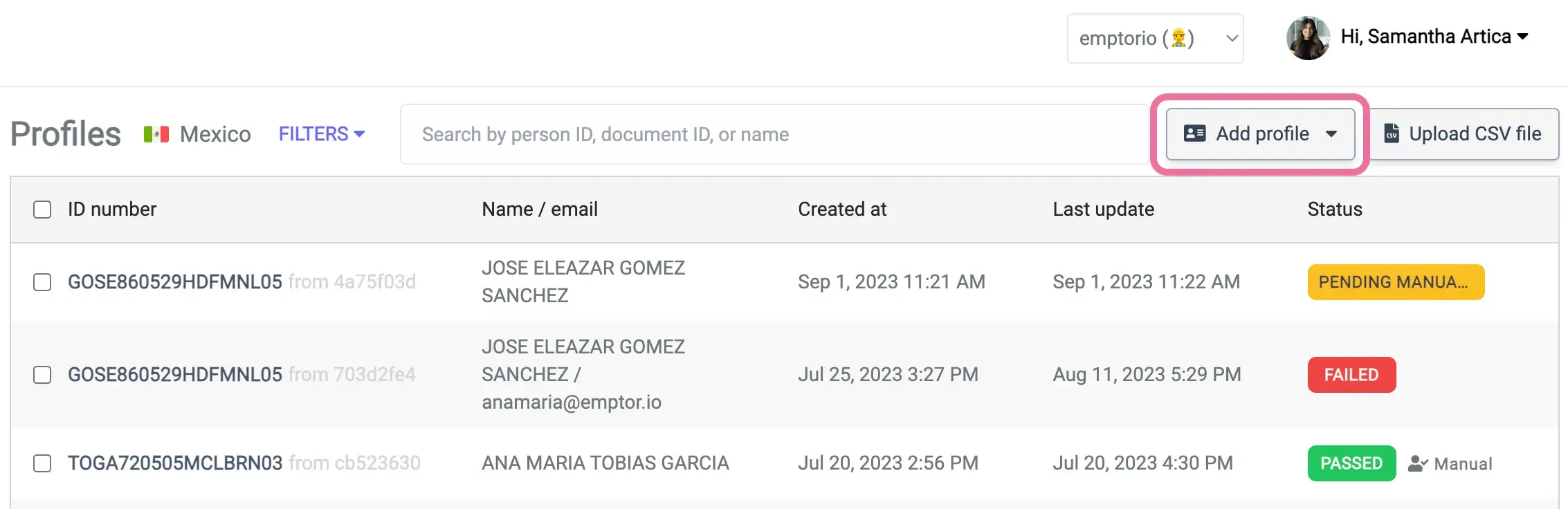
Click on ‘Add Profile’ 🙋🏻♂️.
-
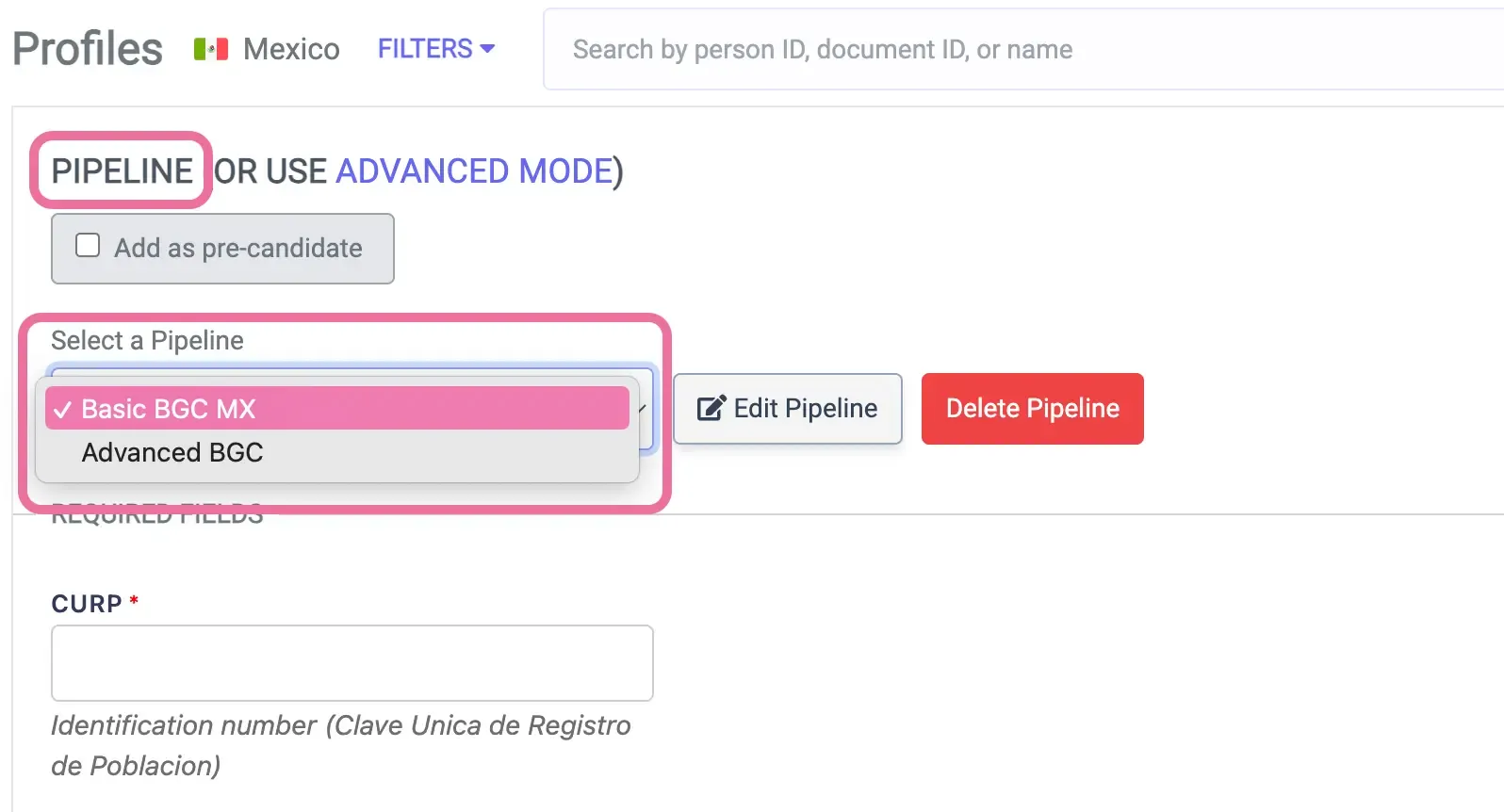
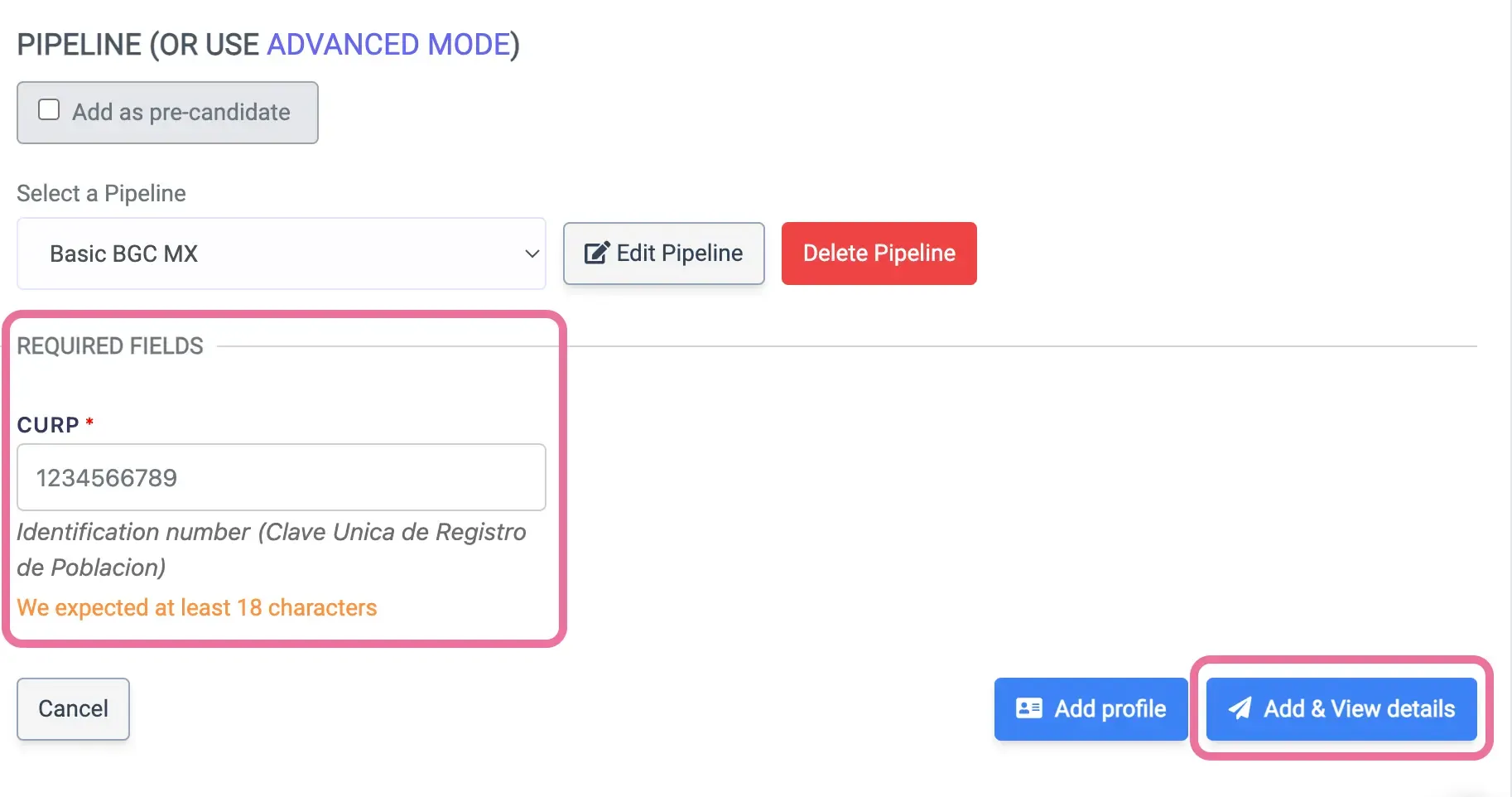
From the list, select your desired pipeline, such as ‘Basic Background Check’ 📰.
-
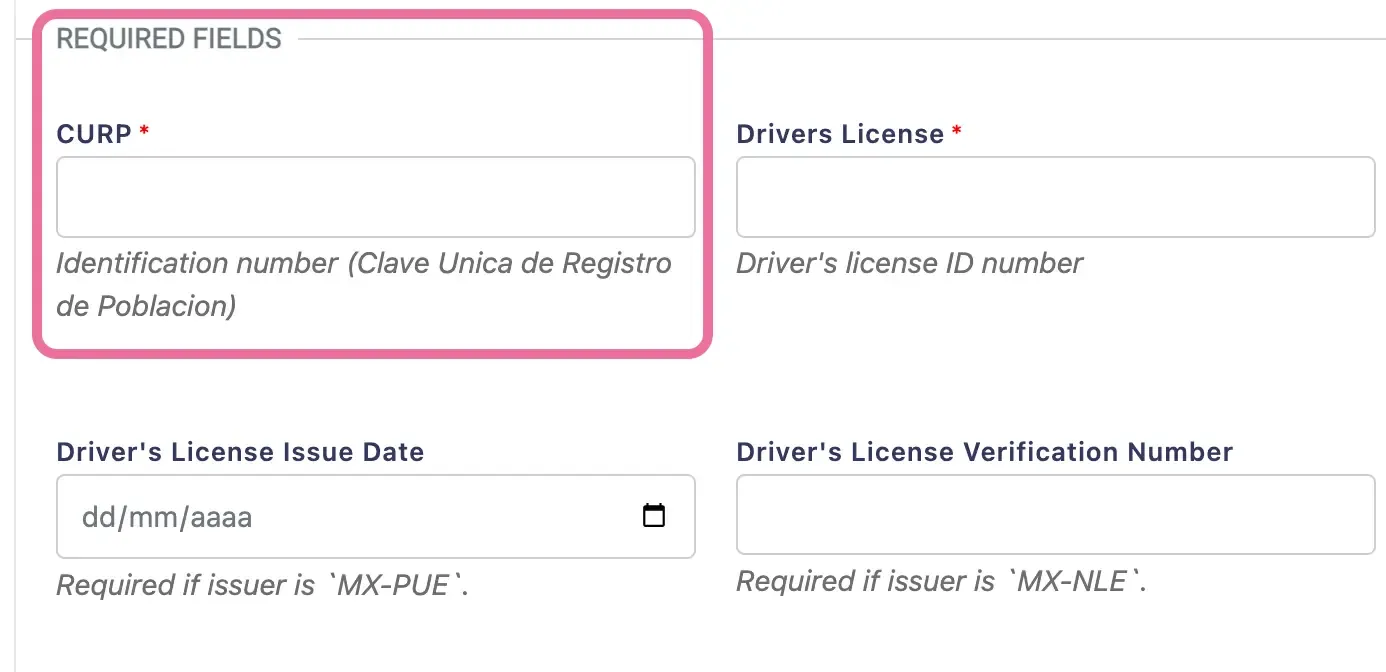
Provide the necessary information such as the “Document ID number” 🪪.
-
Click “Add & View details” to start the verification! ✅
API Integration 🔗
Section titled “API Integration 🔗”For developers looking to integrate pipelines programmatically, our BGC API v3 provides comprehensive pipeline management capabilities:
Pipeline API Endpoints
Section titled “Pipeline API Endpoints”-
List Pipelines - Get all available pipelines
-
Create Pipeline - Create custom pipelines
-
Get Pipeline - Get specific pipeline details
-
Get Pipeline Schema - Get required fields for a pipeline
Related API Operations
Section titled “Related API Operations”-
Create Person - Create a person using a pipeline
-
Get Person Status - Check pipeline execution status
In conclusion 😉
Section titled “In conclusion 😉”Pipelines offer a streamlined approach to our verification services, giving our users a hassle-free and efficient way to get comprehensive results. Whether you’re new to Emptor or a seasoned user, pipelines are here to simplify your verification journey! 🌟
Choose your path:
- Business Users → Use the dashboard as described above
- Developers → Integrate via our Pipeline API endpoints