
Greenhouse Integration
Este conteúdo não está disponível em sua língua ainda.
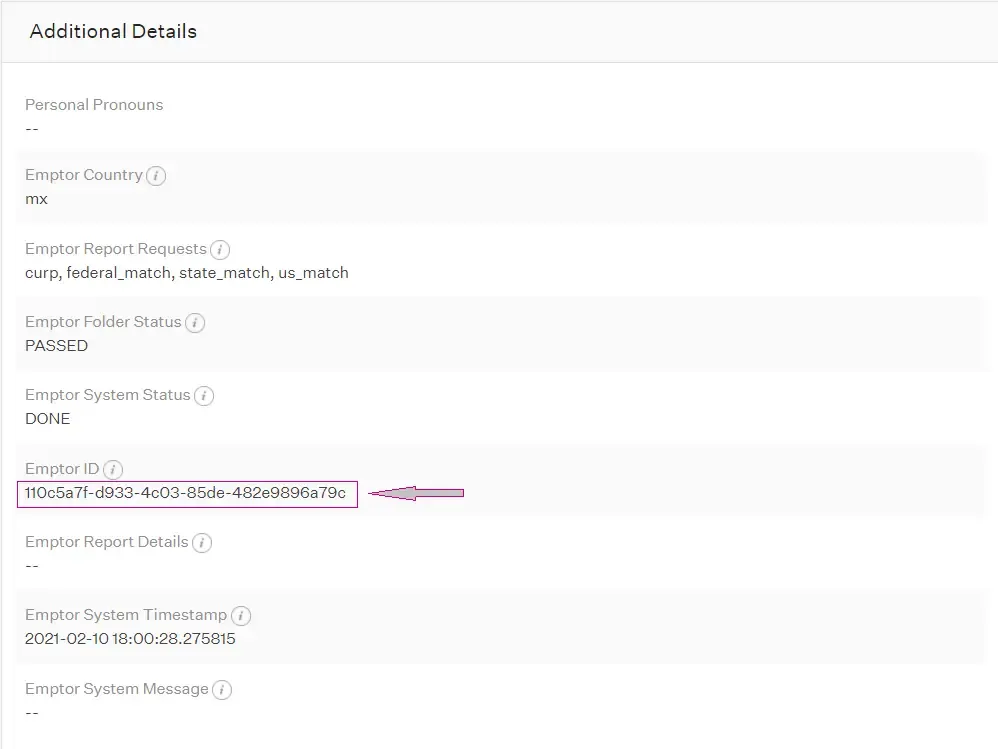
This guide explains how to retrieve the Emptor ID for a candidate that has completed the Background Check stage with Emptor through Greenhouse.
Retrieving the Emptor ID
Section titled “Retrieving the Emptor ID”Follow these steps to locate the Emptor ID in your Greenhouse dashboard:
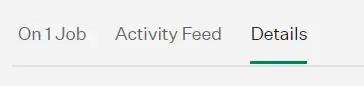
Step 1: Navigate to Candidate Details
Section titled “Step 1: Navigate to Candidate Details”In your Candidate page, go to the Details tab:
Step 2: Locate the Emptor ID
Section titled “Step 2: Locate the Emptor ID”You will find the Emptor ID in the Additional Details section:
Using the Emptor ID
Section titled “Using the Emptor ID”Once you have retrieved the Emptor ID, you can use it to:
- Access detailed background check reports in your Emptor dashboard
- Reference specific candidates when contacting Emptor support
- Track the status of background checks across both platforms
Need Help?
Section titled “Need Help?”If you have questions about the Greenhouse integration or need assistance retrieving Emptor IDs, contact our support team at support@emptor.io.