
📌 Dashboard Overview
Este conteúdo não está disponível em sua língua ainda.
A bird’s-eye view of the Emptor platform, familiarizing you with its layout and main sections.
🥾 How to begin: First steps
Section titled “🥾 How to begin: First steps”Starting with Emptor is simple:
- Sign up: Choose your preferred plan and sign up ✅.
- Confirmation: Check your email for a confirmation link and your credentials 🙌🏼.
- Log In: Use your credentials to access the Emptor dashboard 🖥️.
🖥 Dashboard Essentials
Section titled “🖥 Dashboard Essentials”The heart of your activities on Emptor.
1. Main Panel
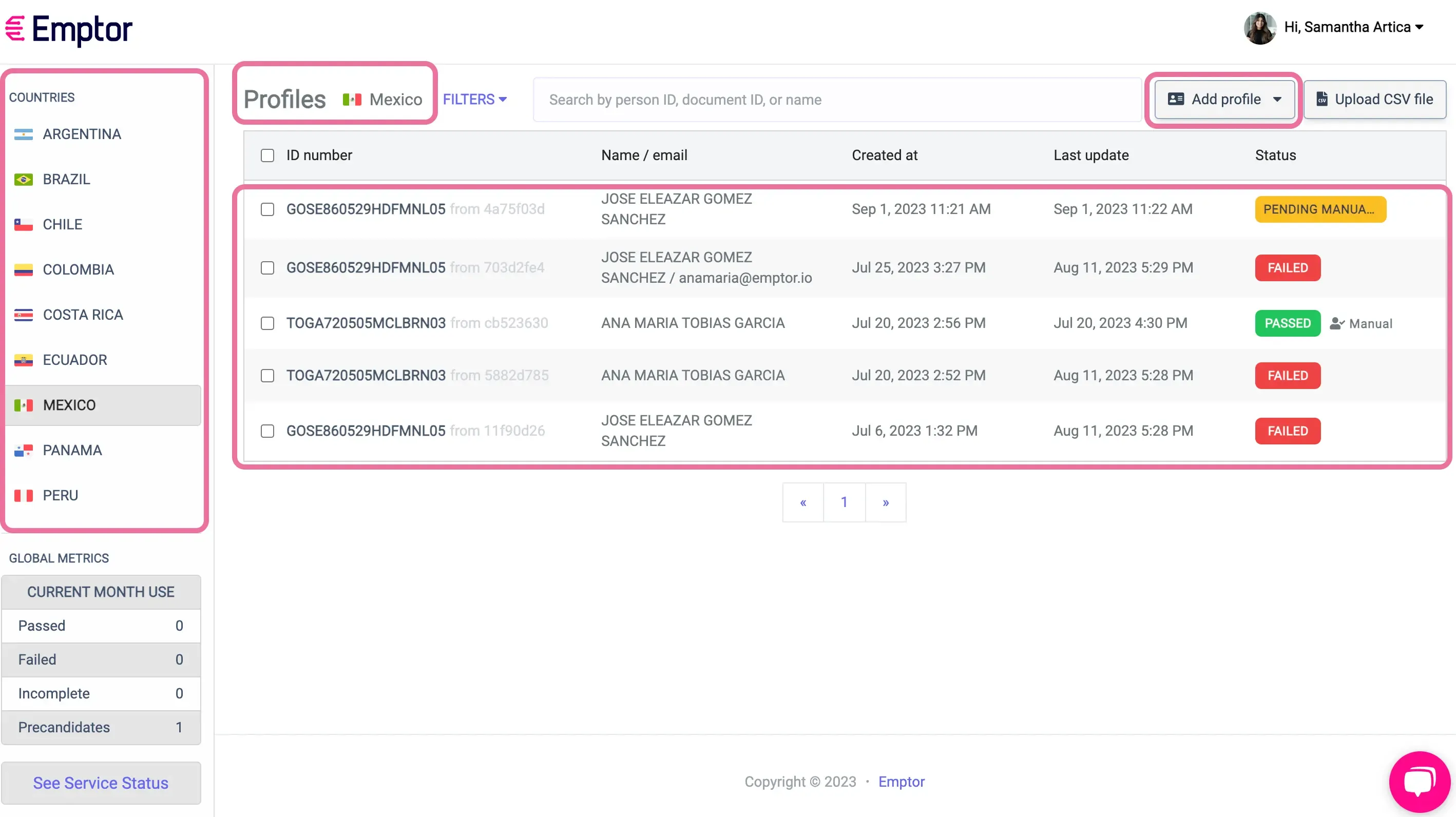
Section titled “1. Main Panel”Quick access to all essential features: Countries, list of created Profiles and the “add profile” button. 👇🏼
2. Language Preferences
Section titled “2. Language Preferences”Easily switch between English and Spanish for a seamless experience 🙌🏼.
3. Managing Subscription
Section titled “3. Managing Subscription”Review and manage your subscription plans directly from the Dashboard 👇🏼
4. Free Trial
Section titled “4. Free Trial”If you are during the free trial of our dashboard, check this guide to get the full potential of it.
💡 Pipelines
Section titled “💡 Pipelines”Specially designed packages that combine multiple checks available in every country🌎:
- Basic BGC ✅ A quick snapshot of a profile’s background.
- Standard BGC 🔍 A more in-depth look into a profile’s history.
- Personalized BGC 🪪 For when you need every possible detail, you can easily create your own combo!
🤝 Support & Resources
Section titled “🤝 Support & Resources”- Connect with Us Our team is here to support you 24/7.
- Treasure Trove of Tools Guides, videos, and more to ensure your Emptor journey is smooth.
Answers to the questions every Emptor newcomer asks.
🚁 We are here to help!
If you have any questions, you can still contact us at support@emptor.io and we’ll get back to you in no time!
Thank you for choosing Emptor
Section titled “Thank you for choosing Emptor”We’re excited for the journey ahead! 🌠